I wanted to be able to dial a phone number shown in a text block on a page inside an app and I knew the WP7Contrib could help. The contrib has a control called Smart Text Block, the author Mike Wolf has already written a posted about the details here. As the name suggest it has the smarts to process the text and provide an action when the highlighted text is clicked.
What I wanted to do was show how easy it is to use. There is no difficulty here at all infact, the control hides away all the complexity, like good OOD should. Also I'm no XAML Ninja like @RichGee (my coffee of choice is not a latte) so I was surprised at how little XAML I had to manipulate.
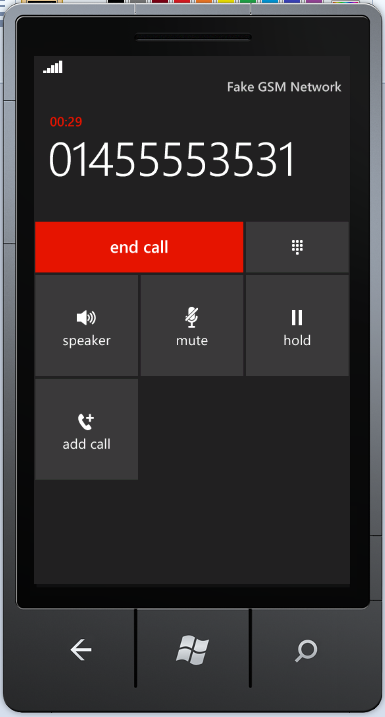
Shown below are three screenshots from the app I'm currently developing. What you can see is an embedded Bing Map (using the WP7Contrib Bing Maps Wrapper service) with a property for rent shown along with a couple of map pins for local medical facilities. When the phone number is clicked in the bottom left hand corner of the left screenshot a phone call is started.


As I said the Smart Text Block does all of this for you. All you have to do is include the required XAML and set the content for the control. I'm using the MVVM pattern to set the 'Text' property, that is it!
Shown below is the XAML required:

Shown below is the (read only) property bound to the control:
 You must also remember to include the ID_CAP_PHONEDIALER in the application manifest file, more info can be found here.
What I wanted to do was show how easy it is to use. There is no difficulty here at all infact, the control hides away all the complexity, like good OOD should. Also I'm no XAML Ninja like @RichGee (my coffee of choice is not a latte) so I was surprised at how little XAML I had to manipulate.
Shown below are three screenshots from the app I'm currently developing. What you can see is an embedded Bing Map (using the WP7Contrib Bing Maps Wrapper service) with a property for rent shown along with a couple of map pins for local medical facilities. When the phone number is clicked in the bottom left hand corner of the left screenshot a phone call is started.


As I said the Smart Text Block does all of this for you. All you have to do is include the required XAML and set the content for the control. I'm using the MVVM pattern to set the 'Text' property, that is it!
Shown below is the XAML required:
Shown below is the (read only) property bound to the control:
Comments
Post a Comment